
Mastering Math: A Step-by-Step Guide on How to Use Schoolio’s Math Assessments
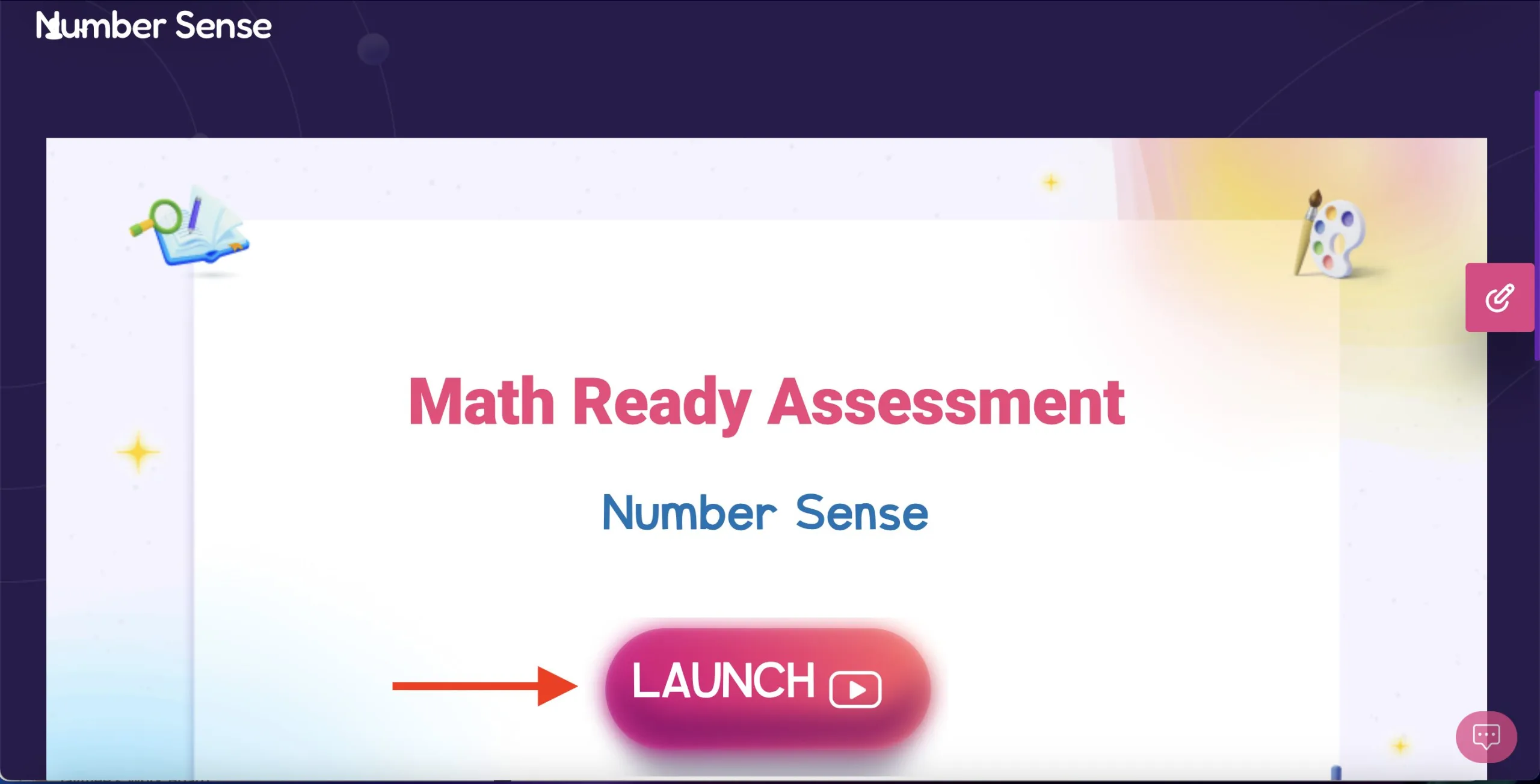
Hey there, fantastic homeschooling families! Exciting news in the homeschooling world – Schoolio’s Learning Platform just levelled up with the introduction of Math Assessments. Co-founder Lindsey Casselman is over the moon about it, describing these assessments as “existential yet accessible” – a perfect fit for the best homeschool program out there! Let’s start mastering math with this step-by-step guide on how to use Schoolio’s Math Assessments!
Unwrapping the Math Magic
Let’s kick things off with the Readiness Assessment – your secret weapon in understanding your learner’s math universe. It’s like a friendly guide, helping you tailor their math adventure based on where they’re at. No more math mysteries – just a clear path for your homeschooling superhero!
But wait, there’s more to this homeschooling delight! The Final Math Assessment is the grand finale – a chance to celebrate your learner’s math journey throughout the year. It’s like a report card, but way more fun and insightful!

Mix, Match, and Personalize
What sets Schoolio’s Math Assessments apart is the ability to mix and match levels. It’s like having a personalized curriculum for your child! Adjust the difficulty, explore challenging concepts, and ensure your learner gets the support they need – all within the comfort of your homeschool haven. Now, let’s dive into the nitty-gritty of adding these fabulous Math Assessments to your homeschooling routine:
Step-by-Step Guide to Adding Schoolio Math Assessments:
Step 1: Log into the Parenting Portal
Head to the Schoolio Learning Platform and log into the Parenting Portal using your credentials.
Step 2: Select your learner
Choose the student you want to add math assessments for – each learner’s journey is unique!
Step 3: Navigate the Marketplace
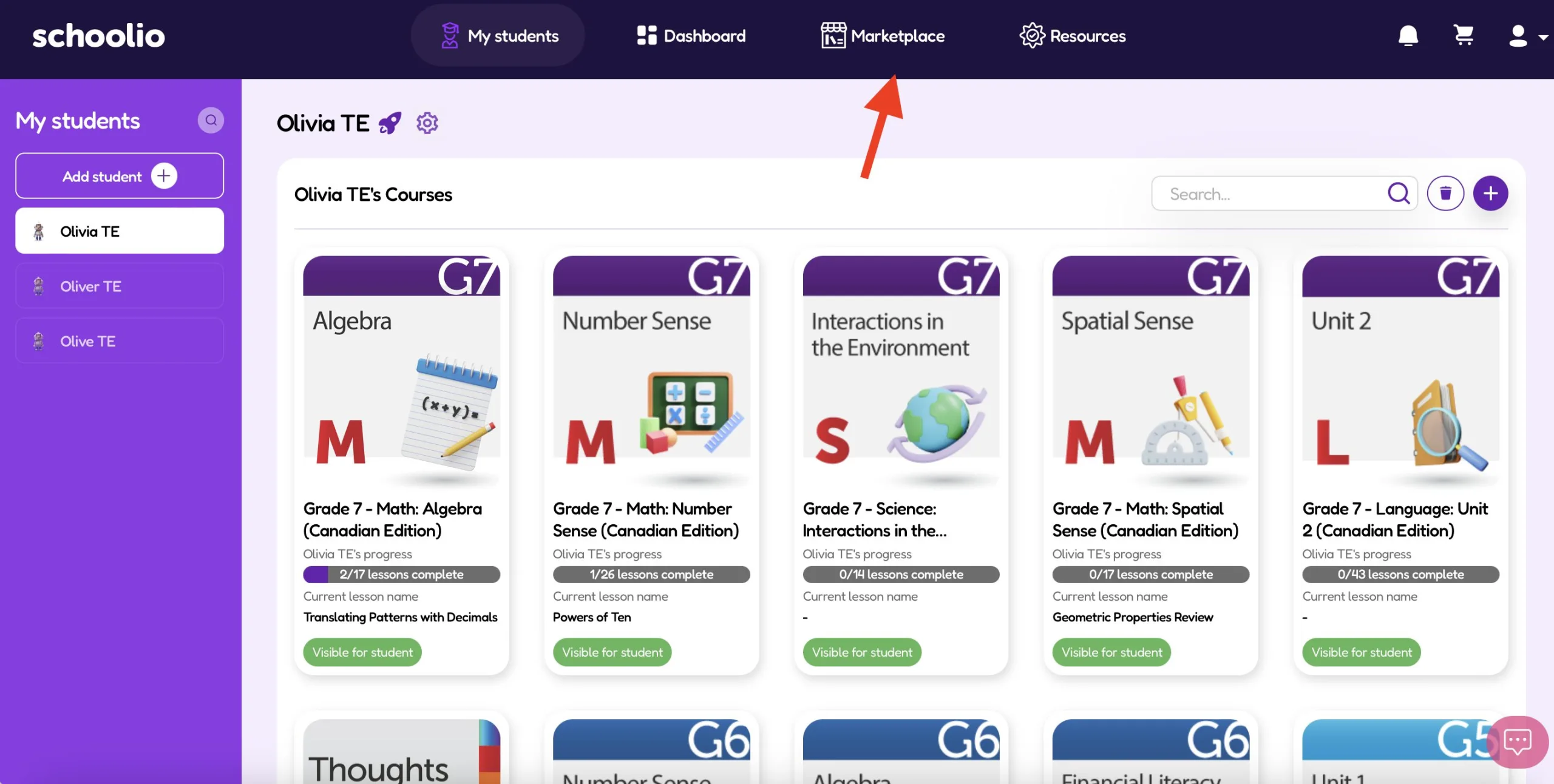
Click on “Marketplace” at the top of the screen. This is your gateway to a treasure trove of educational gems.
Step 4: Filter for Grade Level and Select Math
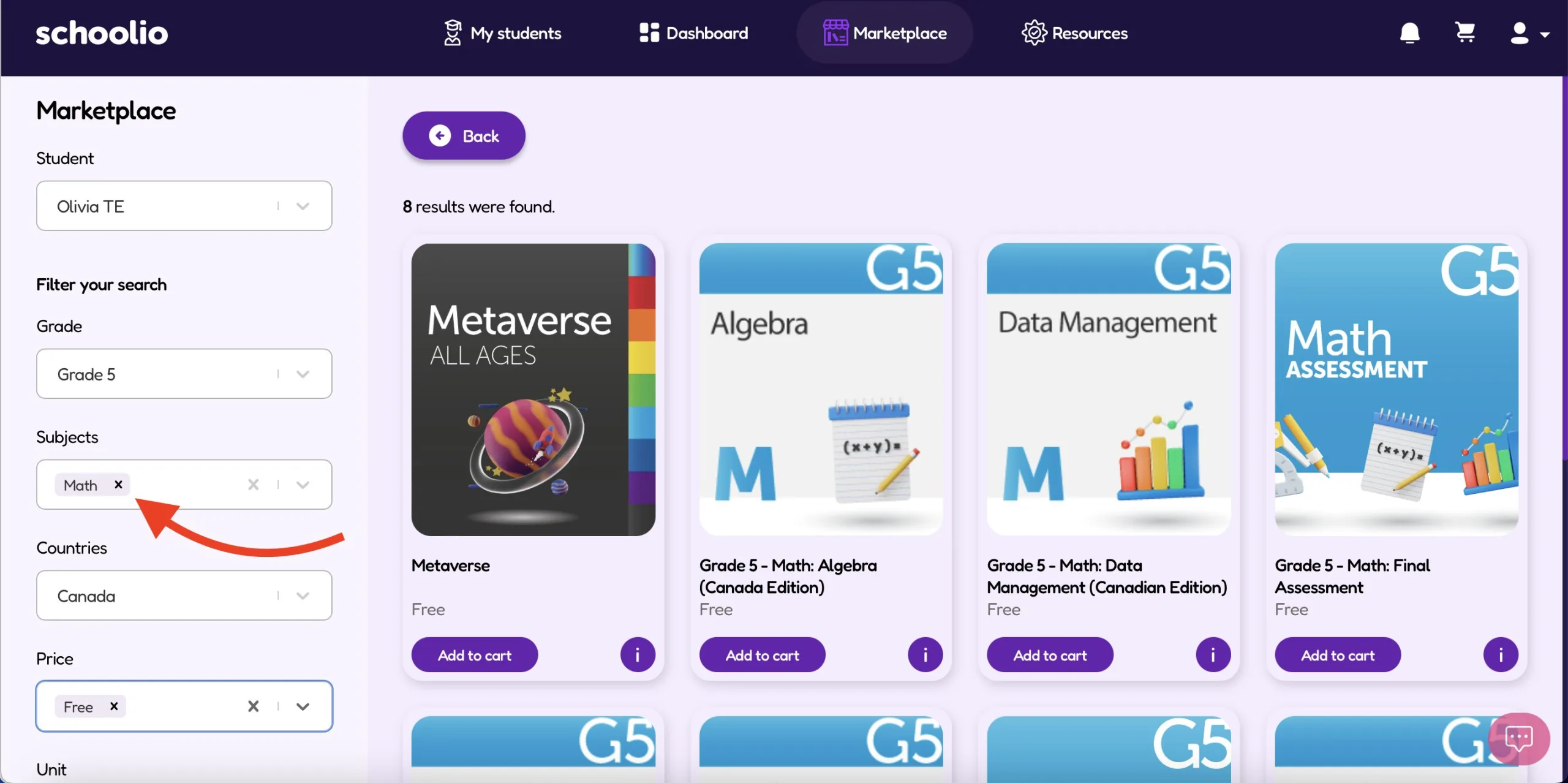
Adjust the filters to match your child’s grade level and select the magical realm of math.
Step 5: Choose Readiness or Final Assessment
Depending on your goals, select either the Readiness or Final Assessment – or both for the ultimate math exploration!
Step 6: Add to Cart and Checkout (but don’t worry they’re included with your subscription)
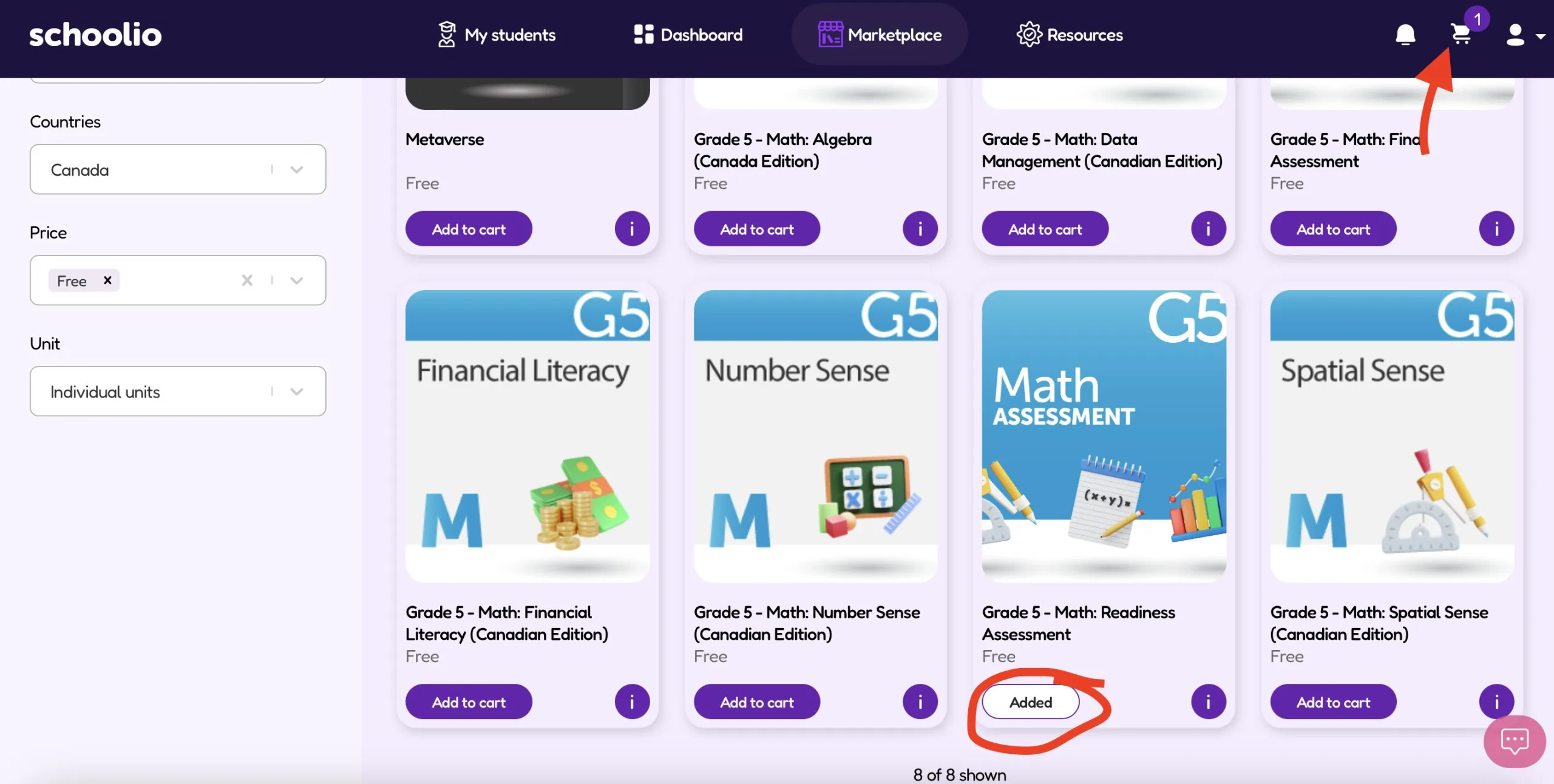
Click “Add to Cart,” review your selections, and then click ‘Add.’ It’s like creating your own curriculum shopping cart! But again, don’t worry – math assessments are included in your monthly, annual or family plan subscription.
Step 7: Schedule the Assessment or Choose Open Exploration
If your child follows a schedule, make sure to schedule the math assessment. For those on open exploration, ensure the assessments are visible.

Step 8: Log into Your Child’s Account

Switch to your child’s account using their username and password. If you share a device, log out of the Parenting Portal first.
Step 9: Take the Math Assessment
It’s showtime! Let your child embark on the math adventure and complete the assessment.
Step 10: Check Results in the Parenting Portal

Once done, head back to the Parenting Portal. Voila! The magic unfolds as you see the results and insights from your learner’s math journey.
And there you have it – a seamless way to integrate Schoolio’s Math Assessments into your homeschooling adventure!
Video Tutorial for Extra Fun!
We know diving into new things can be a bit overwhelming, so we’ve got your back! Check out our detailed video tutorial for a friendly walkthrough on how to make the most of the Math Assessments.
Ready to get started with math assessments for your learner? Dive into the Schoolio Family Plan today – because every homeschooling journey deserves that extra touch of magic!
